
⚙️ Step 1: Log In to the 2-Way Portal
Access the 2-Way Portal or Sidekick Ninja using your login credentials.
🔍 Step 2: Find the Customer
Go to Customers and search for and select the customer you want to update.
🎫 Step 3: Open the Tracking ID Screen
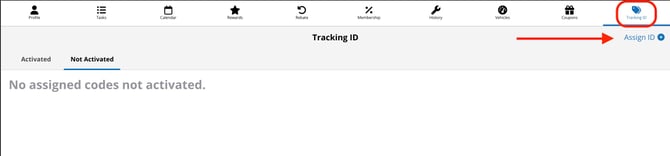
Click Tracking ID in the top banner of the customer’s profile.
🆔 Step 4: Assign the Tracking ID
-
In the top-right corner, click Tracking ID> Select Assign ID +
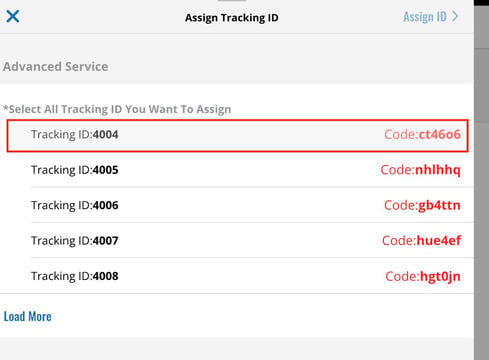
- Select the deal you want to apply
- Give the code shown in red to the customer
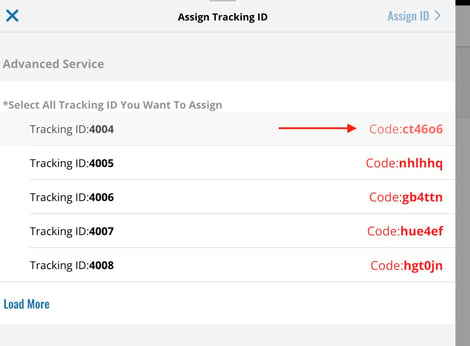
- click the code
🎉 Step 5: Customer Redeems the Code (Customer Side)
The customer will then open the app and:
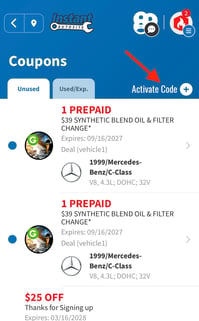
- Tap Coupons
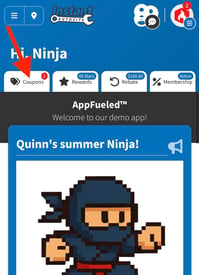
- Tap Activate Code
- Input the code you gave them
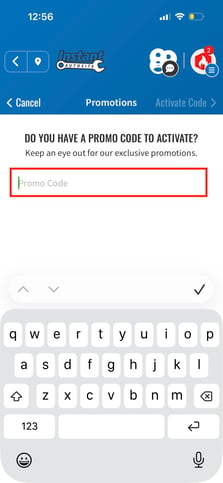
- The coupon(s) will load into their account ✅