
Watch this 👀**step-by-step guide**
Video coming soon!
---
🚫 Block Spam IPs from the 2-Way Portal
Follow these steps any time a spam review comes through:
-
Log in to the 2-Way Portal
-
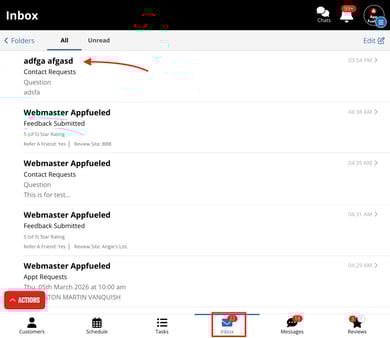
Go to Inbox
-
Click on the form submission that appears to be SPAM
-
Click the blue Info icon

-
Toggle OFF the following:
-
Safe IP Address
-
Safe Domain (only disable if the domain looks suspicious)
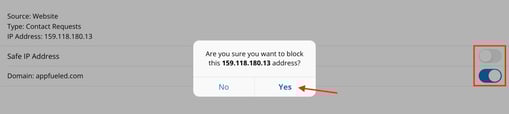
- After this is done you will receive an alert that the IP address and/or Domain has been blocked
-
Once disabled, AppFueled will automatically block all future submissions from that IP or domain.
🔗 Related Help
To learn how to prevent SPAM submissions click here!