
MUST HAVE HAVE ADMIN ACCESS TO PROCEED
🧭 Where to Find It
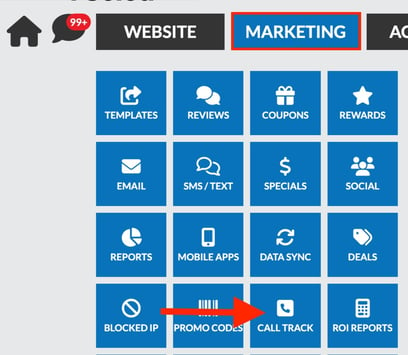
Log in to the Admin Panel, then navigate to:
MARKETING → CALL TRACK
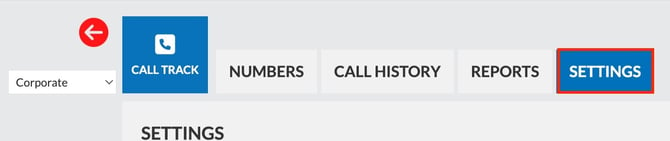
→ SETTINGS
*if multi location changes must be made for each location.
→ scroll to MISSED CALL
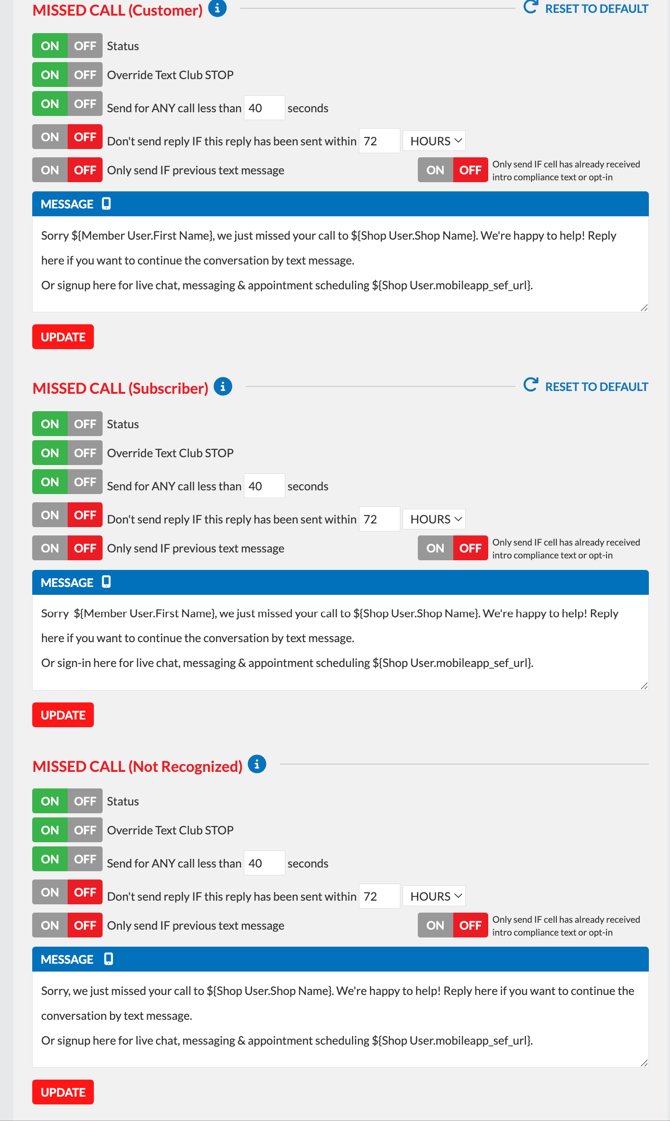
From here you can edit the auto text messages sent to customers, subscribers and those not recognized.
Make sure to click UPDATE after each customer segment
✏️ Customer Segments
You'll see three separate missed call templates — one for each customer segment. You can edit the message script for each individually:
Missed Call (Customer)
Sent to known customers in your SMS
Sent to known customers in your SMS
Missed Call (Subscriber)
Sent to loyalty app subscribers
Sent to loyalty app subscribers
Missed Call (Not Recognized)
Sent to callers not found in your SMS
Sent to callers not found in your SMS